GT-Mall-Manager

Point of sale for antique and craft malls

Every sale split to the right vendor. Every month settled for you.

GT-Mall-Manager is a register built for stores where many vendors sell under one roof: fast at the counter, honest with the books, and still selling when the internet is down.

60-day free trial: every feature, up to 2 registers. No card needed to sign up.

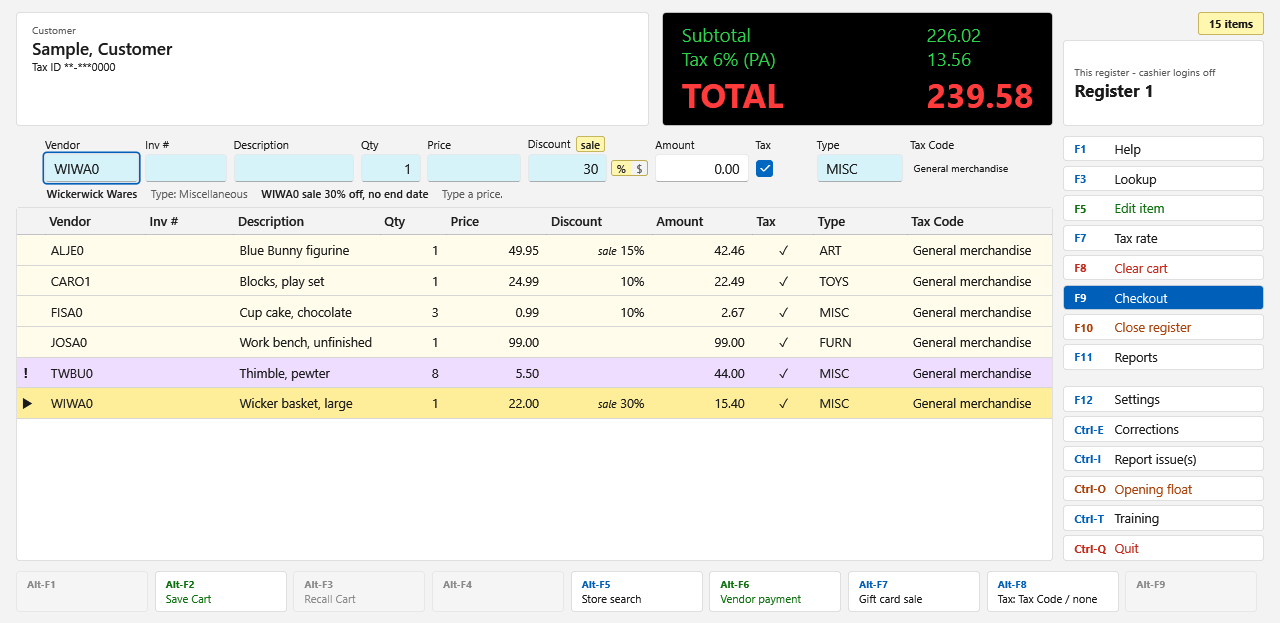
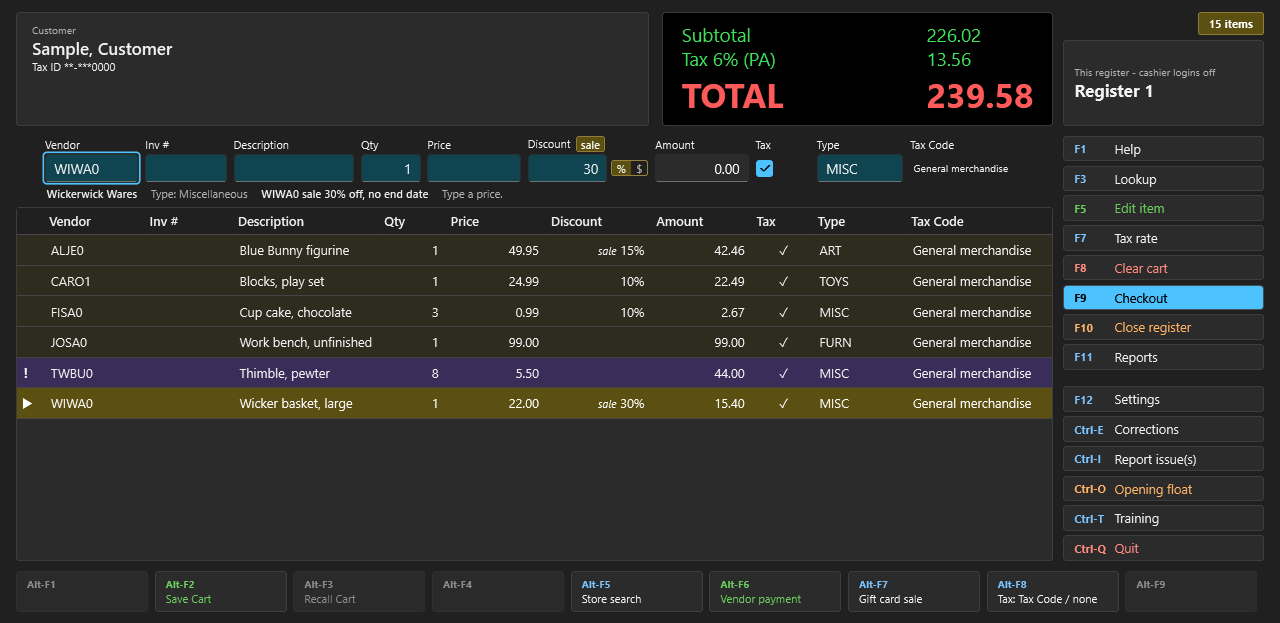
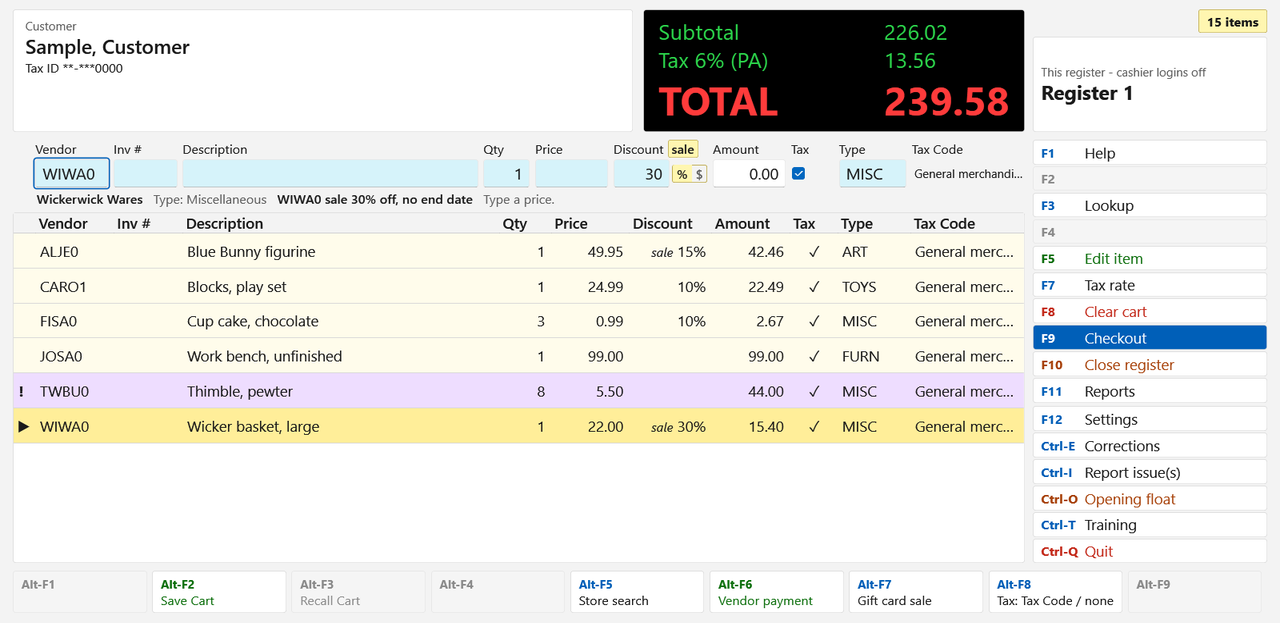
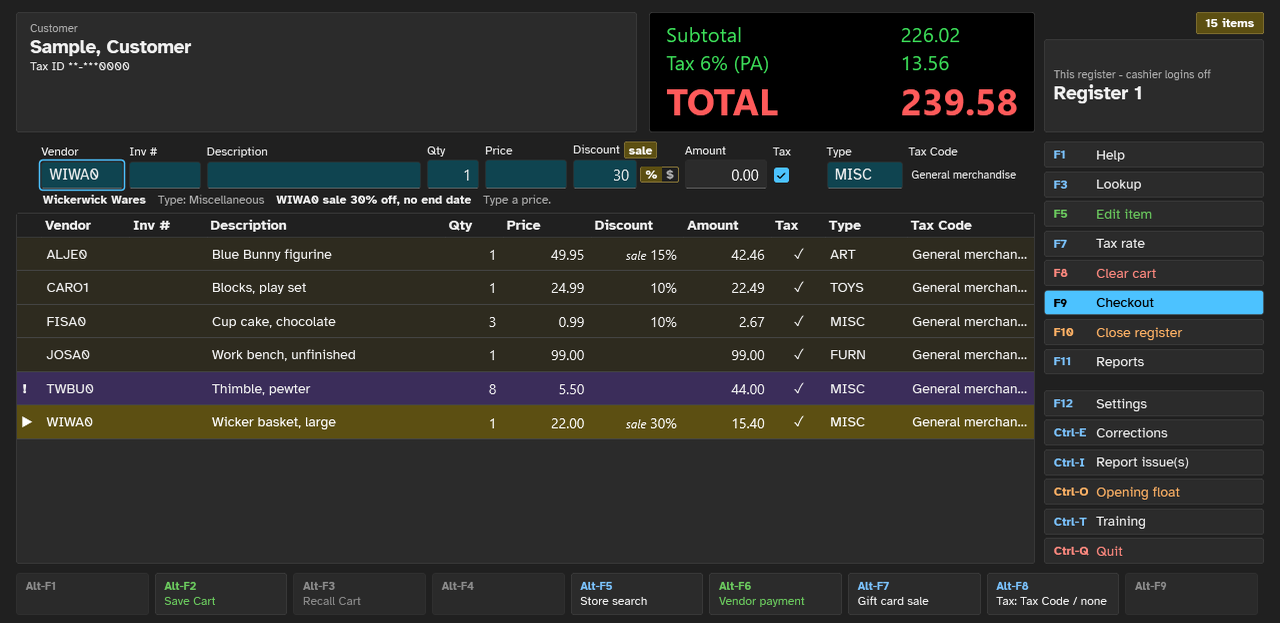
The sale screen: a running list of items, each with its vendor, a large total panel, and function-key shortcuts down the right side. It also shows in dark mode, with larger text and in the Atkinson Hyperlegible font.Light
  • Built for many vendorsVendors, booths, rent and commission
  • Keeps selling offlineThe counter never waits on the internet
  • Keyboard firstFunction keys your staff already know
  • Encrypted backupsLocked on the register before they leave

At the counter

Ring up a sale with the keyboard, the mouse, or both

No more sorting slips at the end of the day. Each line is tagged to its vendor as it's rung up, their discounts apply on their own, and every customer leaves with a receipt.

  • Staff who know the function keys fly through a sale; new staff can just click. The shortcut is on every button.
  • Sales a vendor runs, like 30% off their booth, come off automatically
  • Mixed sales taxed correctly: tax-free items stay tax-free
  • Save an invoice and recall it later; training mode for new staff
The sale screen: each line with its vendor code, description, price, discount and amount, the black total panel above, and the function keys down the right.

Taking payment

Cash, card, check or gift card: one screen

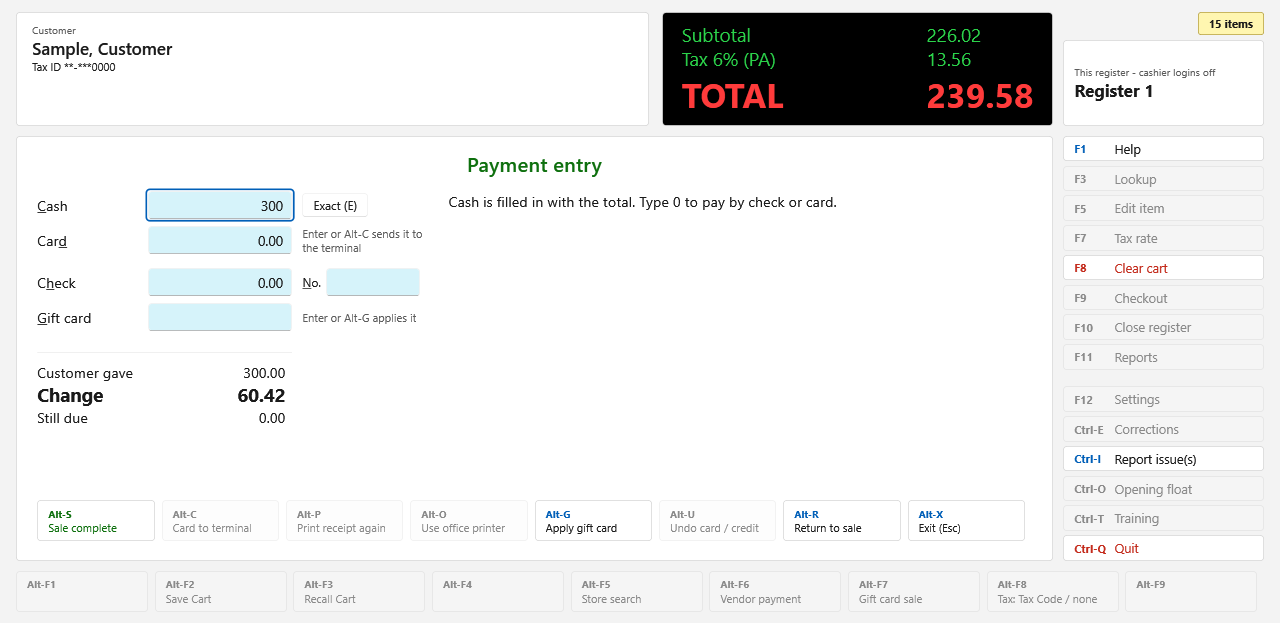
Split a sale across any mix of payments. The card terminal is sent the total for you, change is worked out as you type, and card numbers never touch your registers or our servers.

  • Gift cards, physical and digital, with balance slips
  • Lay-aways and vendor payments at the register
  • Returns with or without a receipt
The payment screen: cash, card, check and gift card fields, with the change worked out.

Finding a sale

"Someone bought a spoon last Tuesday..."

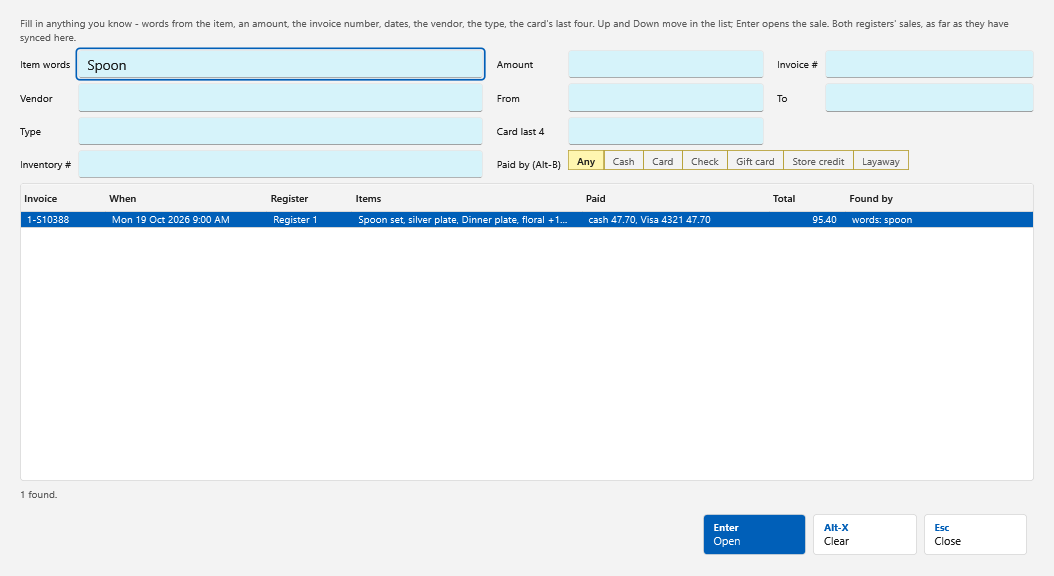
Store search finds any sale from whatever the customer remembers: words from the item, an amount, the date, the vendor, or the last four digits of the card - across every register in the store.

Store search: a form of item words, amount, invoice number, vendor and card digits, with the matching sale listed.

Everything included

The whole back office, not just the till

No tiers and no add-ons. Every store gets every feature.

Month-end settlements

Booth rent, commission and every vendor's sales worked out for you. No more handwritten checks: statements and checks print straight from the register.

Vendor audit

Every sale, charge and payment for each vendor in one report. Email it to your accountant as a PDF with one key: the register remembers their address. Turn it on, and End of Day and the monthly summary are sent to them automatically.

End of day and Z reports

Closing up takes minutes: count the cash and the register shows if you're over or short. One End of Day report covers every register, with cash, checks and cards split out and a list of checks ready for the bank deposit.

Every register is a backup of the others

Each register keeps a full, live copy of the whole store. If one breaks, the others keep selling with every sale, vendor and balance intact, and a replacement PC picks up right where it left off.

Backups you can trust

A backup every day, locked on the register before it leaves the store, to a folder, a USB drive or GT's own storage, with Google Drive and OneDrive coming soon. A test restore runs on its own every week to prove the backups work.

Updates in one key press

When a new version is out, the register offers it at a quiet moment, never mid-sale. One key press installs it, checked against GT's signature first, with no IT person needed.

Vendor portal

Your vendors sign in online to see what sold, their balance, statements, checks and 1099s. They can also list their stock, print price tags, and watch items sell as you ring them up.

Vendor checks and year end

Print vendor checks on your own check stock and keep a check register for your books. At year end the 1099s and the 1096 worksheet are filled in for you.

Booth management

See who rents which booth and what's free at a glance. Rent comes straight out of each vendor's sales at month end, or they pay it at the counter if you prefer. Late fees and deposits can be switched on for any shop that charges them.

Getting started

Up and running in an afternoon

And we can bring your existing vendors and their balances over for you.

  1. Sign up

    Create your shop's account and confirm your email. Your 60-day free trial starts right away, with every feature included.

  2. Install on your registers

    The register runs on Windows 10 or 11. Download the installer and run it on each PC at your counter.

  3. Pair each register

    Each register pairs with your account once: it shows a short code, you enter it on your account page, and that PC is linked to your shop and ready to sell.

Pricing

Simple, per register

A one-time setup, then a price per register. Add or remove registers from your account at any time.

Paid once

One-time setup

We get you running and bring your data over.

  • Your vendors, item types and balances imported by hand
  • Help setting up registers, printers and the card terminal
Ask about setup
Annual: two months free

You only pay for the registers you run

Choose monthly or yearly.

  • Every feature on every register, nothing extra to buy
  • Updates and support included
  • Billed through QuickBooks: pay each invoice online, or set up autopay.
Start your free trial

We take your data seriously

Your sales stay on your PCs, card numbers are never kept anywhere, and every backup is encrypted on the register first. Here's exactly what we keep, and why.